
 ScanforPC — Welcome
See what's taking up
space on your PC
Your drive is full and you have no idea why. ScanforPC shows you exactly where your space went, and helps you get it back in a couple of clicks.
one-time purchase · built for Windows 11
One scan.
8 ways to read it.
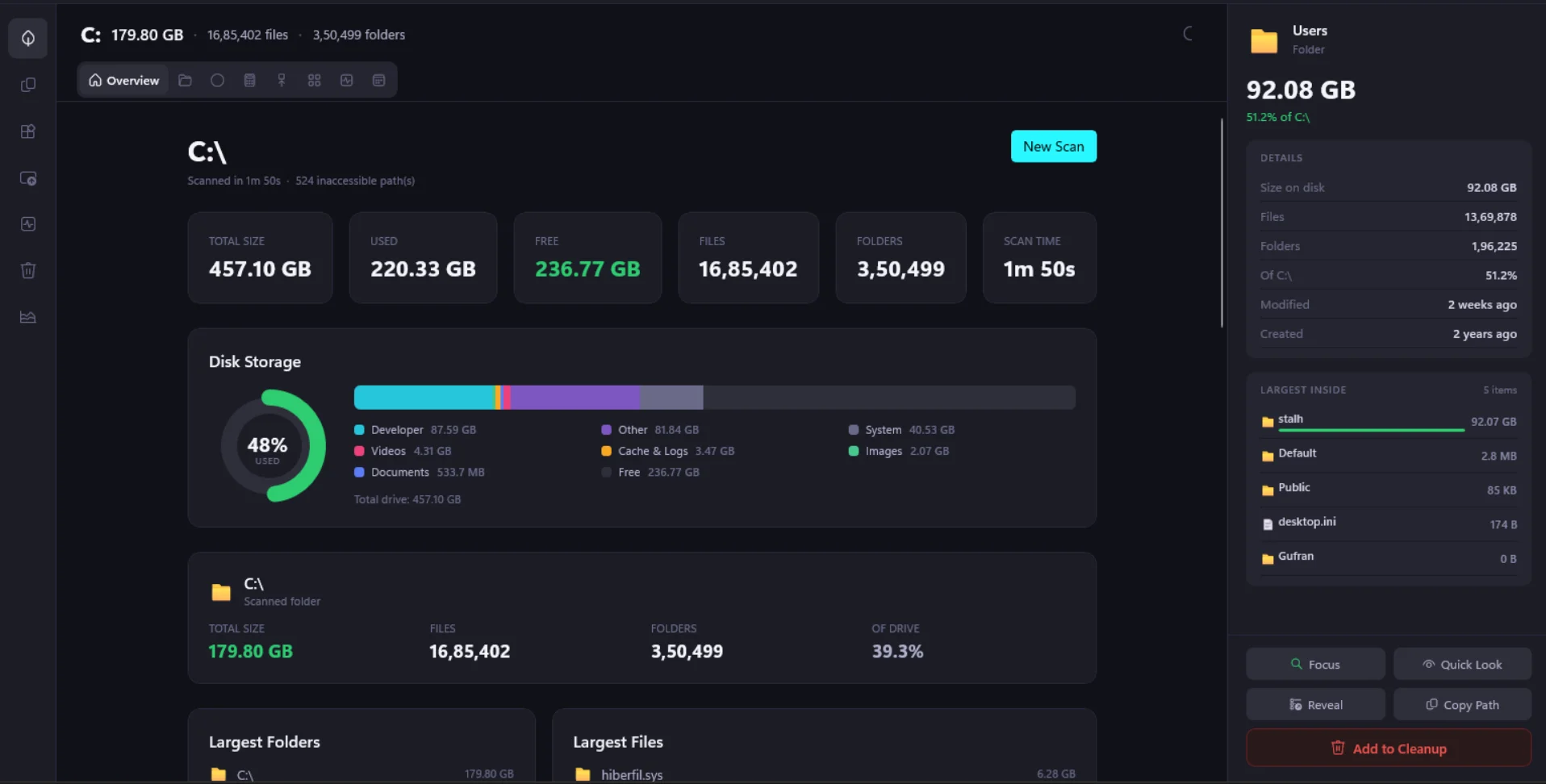
The big picture at a glance: how much space is used, what's taking it up, and your largest folders and files, all on one screen.
Reclaim your space, the easy way
No jargon, no guesswork. Just a clear picture of your drive and a simple way to clean it up.
Find your space hogs instantly
One look and the biggest folders and files jump right out. No more guessing what's filling up your drive.
Free up gigabytes fast
Spot the huge downloads, forgotten backups, and junk you'll never open again, then clear them out in seconds.
Wipe out duplicate files
The same photos and files pile up in more places than you think. ScanforPC finds the copies so you only keep one.
See what your apps really use
Every app leaves behind caches and leftovers. See each one's true size and reclaim the space it's hoarding.
Eight ways to see your disk
Colorful maps, charts, and lists that make a full drive easy to understand at a glance. Pick the view you like best.
Nothing deleted by surprise
You're always in control. ScanforPC only removes what you choose, after you review it. Your files stay safe.
Everything you need to take back your drive
Beyond the maps and charts, ScanforPC packs the tools that actually free up space.
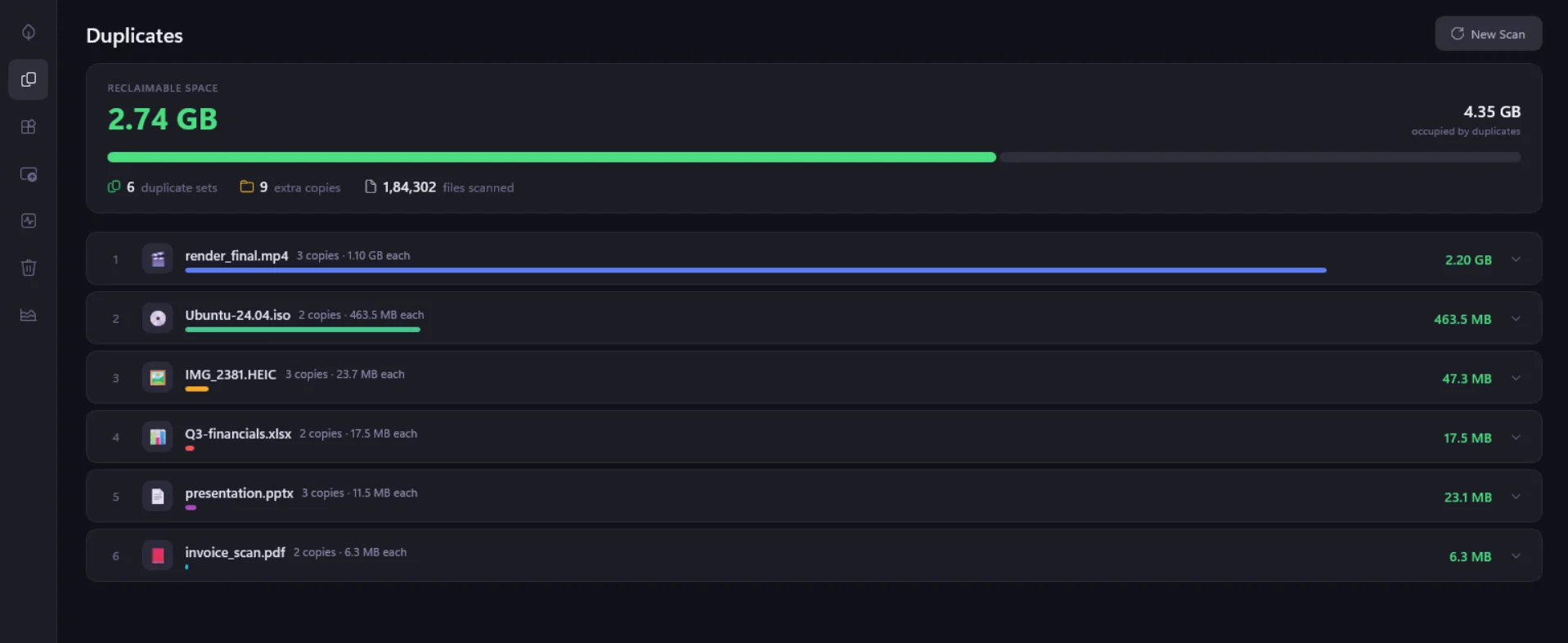
Delete the copies, keep the space
The same photos, videos, and downloads quietly pile up in more places than you'd ever guess. ScanforPC compares files by their actual contents, not just their names, so it catches every real duplicate and never flags something by mistake.
Get back gigabytes by keeping one copy of each file.
Free up space in three steps
No manuals, no setup. From a full drive to breathing room in minutes.
Scan your drive
Open ScanforPC and point it at your disk. In seconds it reads your whole drive and maps out where every gigabyte lives.
See what's taking up space
Explore your files with clear maps, charts, and lists. The biggest folders, duplicates, and forgotten junk stand out right away.
Clear it and get space back
Pick what you don't need, review it, and remove it in one click. Watch your free space jump back up, no guesswork required.
Keep it forever.
Pay once. Yours for good. No subscription, ever.
What's included:
- ✓Every view and visualization
- ✓Duplicate file finder
- ✓App space breakdown
- ✓Safe, one-click cleanup
- ✓Free updates, forever
- ✓Built for Windows 11
ScanforPC is a disk-space analyzer for Windows 11 that shows you exactly what's eating up your storage, then helps you clear it out. It scans your drive in seconds and turns the results into clear visual maps, charts, and lists, so the biggest folders, duplicate files, forgotten downloads, and leftover app data are obvious at a glance. Instead of guessing why your disk is full, you get a ranked picture of what's taking space and a safe, one-click way to reclaim it.
Ready to install?Get your space back today
Stop wondering where your storage went. Download ScanforPC and see it for yourself in seconds.
one-time purchase · Pay once. Yours for good. No subscription, ever.